

If you have ever tried to generate a professional logo using standard text-to-image AI platforms, you know the frustration. You type in a highly specific prompt, hoping for a clean corporate emblem, and the machine hands you a beautifully rendered but utterly chaotic mess. The lines are warped, text looks like an alien alphabet, and the layout completely ignores basic geometric composition.
The core problem is that standard diffusion models rely purely on text prompts to predict pixels. They lack an organic understanding of hard geometric boundaries and spatial structural layout.
To bridge this gap, modern brand designers leverage ControlNet—an advanced neural network architecture that adds a second layer of spatial control to Stable Diffusion. Instead of letting the AI guess where shapes belong, ControlNet allows you to feed a structural map directly into the model, locking down silhouettes and lines with absolute precision.
Over at logodesigninspo.com, we believe control is the secret to professional execution. Let’s dive into how to master ControlNet to achieve bulletproof shape control for your logo marks.
1. Decoding the ControlNet Workflow
ControlNet works by freezing the main weights of a pre-trained Stable Diffusion checkpoint and copying its structure into an adjustable parallel network. This parallel network evaluates an extra image input—known as a conditioning map—and uses it to guide the final pixel layout.
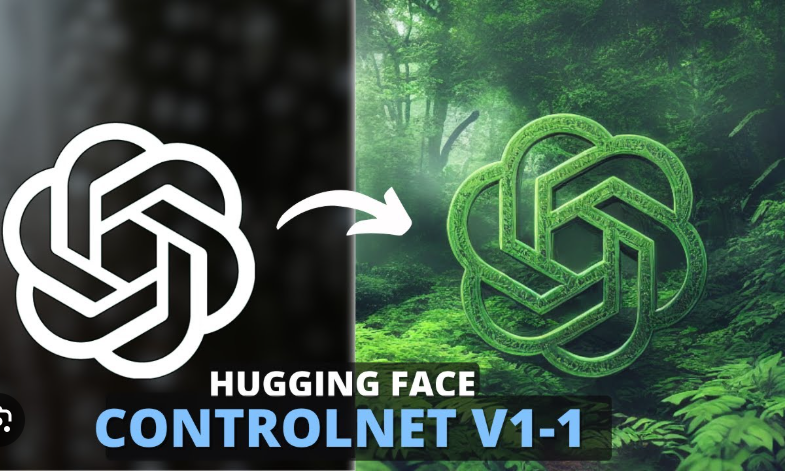
When you examine the template pipeline, the impact is immediately clear. Look at the visual translation above: on the left, a designer created a simple, flat white typographical layout where the letter G is stylized into a human silhouette profile against a solid black backdrop.
Without ControlNet, an AI model would struggle to balance text layout and character illustration. However, by feeding this monochrome shape into a ControlNet pipeline, the model locks onto those structural bounds. As shown on the right, it accurately textures, shades, and styles the layout into a hyper-detailed cyberpunk aesthetic without distorting or shifting the core corporate letters a single millimeter.
2. Essential ControlNet Models for Brand Assets
Different logos demand different structural boundaries. When setting up your environment in WebUI interfaces like Automatic1111 or ComfyUI, choosing the right specialized model is essential:
-
Canny Edge: This model uses a strict edge-detection algorithm to trace fine structural boundaries. It is perfect for intricate, geometric wordmarks and corporate stamps where every line weight must be preserved exactly as designed.
-
Lineart: Trained explicitly on artistic stroke drawings, Lineart focuses on flowing, clean contours. It is the ideal choice for minimalist emblems, monograms, and hand-drawn brand assets.
-
Scribble: If you are working with an rough client sketch or a loose concept doodle, Scribble gives the diffusion model room to innovate. It uses the input as a flexible directional guide rather than an unyielding wall, allowing the AI to fill in missing geometric details creatively.
3. The Precise Logo Engineering Pipeline
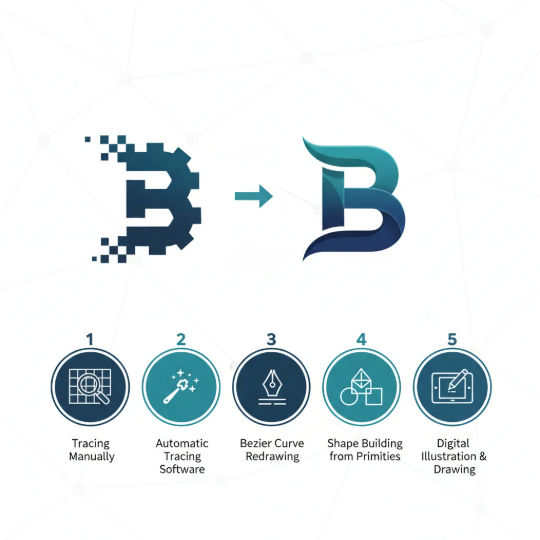
To execute a flawless shape-controlled layout, follow this rigorous design and rendering process:
4. Tuning Your Parameters for Commercial Success
To get the cleanest results, you need to adjust your ControlNet control sliders to balance structural rigidity with creative material generation.
| Control Slider | Core Function | Optimal Setting for Logos |
| Control Weight | Determines how strictly the AI adheres to your input template lines. | 1.0 to 1.2. Going higher makes the output too rigid; going lower allows the text to warp. |
| Starting Control Step | The exact point in the sampling process where ControlNet starts guiding pixels. | 0.0. You want the structural enforcement active from the very first frame. |
| Ending Control Step | The point in the sampling process where ControlNet releases its hold on the image. | 0.8 to 0.9. Dropping it slightly before the end allows the AI to blend fine textures smoothly. |
⚡ Pro-Tip: The Isolation Strategy
Always keep your negative prompts robust. To prevent the model from turning your flat graphic icon into a chaotic, messy landscape, populate your negative prompts heavily with terms like:
photograph, complex scenery, human face, messy linework, 3d environmental rendering.
By integrating ControlNet into your identity generation workflow, you turn Stable Diffusion from a random digital slot machine into a precise, professional rendering tool. You maintain full ownership over the core structural geometry and brand silhouettes, while delegating the complex lighting, texture, and aesthetic execution to the artificial intelligence engine.



Leave a Reply